

Key Takeaways
- Campaign Structure Drives Performance: Poorly organized campaigns limit visibility, control, and optimization. Separate campaigns by match type and product category to maintain clean data and better budget control.
- Targeting Determines Profitability: Broad keywords and missing negative keywords lead to wasted spend. Prioritize high-intent search terms and continuously refine targeting using search term reports.
- Continuous Optimization Is Essential: Amazon PPC requires regular monitoring, bid adjustments, and budget reallocation. Set a structured review process instead of making reactive or emotional decisions.
- Data-Driven Bidding Protects Margins: Strategic bid adjustments based on performance metrics like ACoS and conversion rate prevent overspending while maintaining competitive visibility.
- Conversion Rate Impacts Ad Efficiency: Even well-optimized campaigns fail if listings don’t convert. Strong titles, persuasive bullets, detailed descriptions, and high-quality images are critical to improving ROI.
Sellers often pour money into Amazon advertisements and watch helplessly as their ad budget drains without driving meaningful sales. Poor targeting and lack of Amazon PPC optimization can be the main problems behind it, and not fixing these mistakes early can result in wasted ad spend.
The good news is that campaigns that are losing money can be fixed. By identifying the common problems that hurt performance, sellers can turn money-losing campaigns into profitable growth drivers. In this guide, we’ll break down the most common Amazon PPC problems that hurt profitability and the practical fixes you can apply to make your ad spend worth it.
6 Amazon PPC Problems and Their Practical Fixes
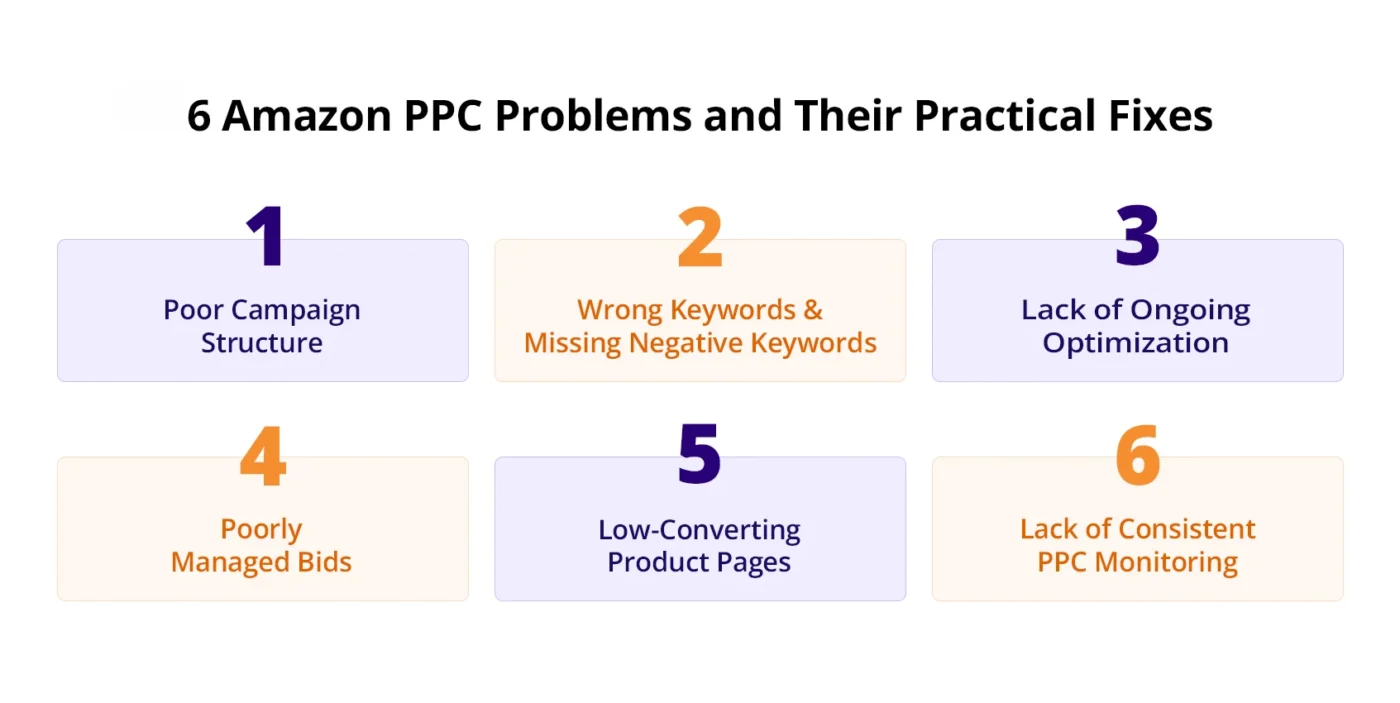
Before going toward fixes, it is equally important to understand what’s causing the issue. Once you know what’s actually hurting profitability, you can apply practical fixes.
1. Poor Campaign Structure
Poor campaign setup is one of the most common issues seen in Amazon Ads accounts. Many sellers prefer to keep things simple and end up creating only one or two campaigns. It is common to see a single or a basic automatic campaign alongside a Sponsored Brands campaign.
Sellers choose the easy path and group multiple products within the same ad group. This might seem manageable at first, but this makes Amazon PPC optimization difficult. Mixing all your products into the same campaign and ad group, you’ll struggle to understand how your ads are performing. You won’t be able to identify what’s working, and you won’t have control over where the spending goes.
Fix
Organizing your amazon ppc campaign structure with separate ad groups and campaigns can resolve the issue. Create campaigns with clear separation by match type and product category so that performance data stays clean. Use automatic campaigns to accumulate data and manual campaigns for control. You can split manual campaigns into broad, phrase, and exact match groups.
2. Wrong Keywords and Missing Negative Keywords
Targeting the wrong keywords can lead to huge money loss on Amazon. Sellers often use broad search terms to drive traffic. You can see a rise in clicks with that, but you won’t see any conversions. The traffic that these broad keywords bring to your listing is less likely to have purchasing intent. By paying for these clicks, you are driving up costs without results.
Many sellers also don’t pay attention to negative keywords. Without negative keywords, ads continue showing for irrelevant search terms that generate clicks but fail to convert into sales. This results in wasted ad spend and higher ACoS.
Fix
Review search term reports regularly to identify keywords that generate clicks but no sales. Add these as negative keywords to block irrelevant traffic. Avoid using broad terms and prioritize keywords with strong buying intent. For example, targeting a broad term like “water bottle” may bring low-quality clicks, while a more specific term like “insulated stainless steel water bottle 1L” attracts shoppers closer to buying. Shifting budget toward high-intent terms helps improve conversion rates.
3. Lack of Ongoing Optimization
It is common to see campaigns left to run on their own for weeks. As Amazon PPC performance changes constantly, regular optimization is necessary. PPC requires consistent adjustments, and sellers who leave campaigns untouched often see rising ACoS over time. It is common among sellers to turn off campaigns once they notice they are running on a higher ACoS. This is not the solution. Instead of shutting campaigns down completely, the better approach is to make data-driven adjustments.
Fix
Having a consistent Amazon optimisation process should be a part of your PPC strategy. Set a routine to review campaigns regularly, analyze search term performance, adjust bids, and reallocate budgets based on data. The time between optimisations depends on the size of your account. Ideally, you should optimize as soon as you have enough data to make a decision.
4. Poorly Managed Bids
Bids directly impact visibility, and setting bids too low can reduce impressions and limit sales opportunities. Low bids may prevent ads from competing effectively in auctions. On the other hand, setting bids too high can result in higher costs. Many sellers make the mistake of setting bids on assumptions instead of relying on data. This leads to inconsistent results.
Poorly managed bids can cause campaigns to either lose traffic or overspend on clicks that do not convert. A data-driven bidding approach is essential for balance.
Fix
Adjust your bids strategically and make sure they are competitive. If your bid is below the suggested range, Amazon won’t prioritize your ad. For example, if the suggested bid is $1.50 and your bid is $0.50, your ad may rarely (or never) show. At the same time, avoid raising bids blindly just to gain visibility, as this can quickly increase costs. Instead, base bid adjustments on performance data such as conversion rate and ACoS. Increase bids for keywords that consistently convert and lower bids where costs are higher without returns. Even small data-driven adjustments can save you from losing money.
5. Low-Converting Product Pages
Product pages turn visitors into buyers, and if your Amazon product listing is not optimized, you are likely to lose money. Weak images, unclear titles, poor bullet points, or uncompetitive pricing reduce conversion rates and increase advertising costs. Listings are responsible for closing sales but are often neglected. Many advertisers focus on driving clicks but forget that success depends on what happens after the customer lands on the product page.
Fix
Work on listing so that traffic from ads converts into sales. Add high-quality imagery and copy that converts.
There are four key areas to address when looking to perfect a listing:

1. Product Title: Amazon Product title should contain keywords and clearly say what the product is. The limit for titles is 200 characters. Make sure the title is clear and easy for shoppers to understand. The title is all about attracting attention and providing high-level information.
2. Bullet Points: These consist of your product’s unique selling points. Make them easy to read so that customers understand exactly what your product is offering.
3. Description: All the details of your product go into the description. A detailed product description provides customers with essential info about the product. Write the description in clear, benefit-focused language that highlights key features and helps customers understand the value of your product.
4. Images: These are visuals of the product. Use high-quality images that clearly show the product. Also, add images in a lifestyle setting so that shoppers can better understand how the product is used and visualize it in real-life situations.
6. Lack of Consistent PPC Monitoring
Once your campaigns are live, they need constant monitoring. Without consistent monitoring, small performance issues can grow into big problems. Sellers who don’t regularly check campaigns can miss issues that can cost money. Consistent monitoring helps identify trends early and allows you to make adjustments right on time. Advertisers often make the mistake of quickly removing underperforming ads without allowing enough time for data to accumulate. These kinds of blind decisions can lead to missed opportunities.
Fix
Use Amazon PPC reports to regularly track performance and identify areas for improvement. Monitor key metrics such as ACoS, TACoS, CPC, CTR, and conversion rate to spot changes early and focus your budget on campaigns that drive results. Create a simple weekly PPC review process to evaluate performance and reallocate spend toward profitable keywords.
Conclusion
If your advertising is only eating your budget without delivering results, you need to step back and identify what’s causing the problem. When you’re losing money on PPC campaigns, the issue often extends beyond advertising itself. We have enlisted the most common PPC problems that hurt profitability, along with practical steps to help you reduce wasted spend.
The key to profitable Amazon advertising is consistent management. Small adjustments made regularly can significantly improve results over time. If you are having a hard time managing PPC on your own, working with a specialist can help. AMZDUDES, a dedicated full-service Amazon Marketing Agency, helps sellers build profitable advertising systems designed for long-term growth.
Book a free consultation to identify the exact fixes your campaigns need!
Frequently Asked Questions
Why are my Amazon PPC campaigns losing money?
Amazon PPC campaigns usually lose money due to poor campaign structure, irrelevant keywords, missing negative keywords, weak listings, or a lack of ongoing optimization. In many cases, ads are driving traffic, but low conversion rates prevent campaigns from becoming profitable.
Should I pause campaigns that have a high ACoS?
Not immediately. High ACoS doesn’t always mean a campaign should be stopped. You can review search terms and performance first. Making adjustments based on performance can improve profitability.
How often should I optimize Amazon PPC campaigns?
Most sellers benefit from reviewing campaigns weekly. Larger accounts may require more frequent checks, while smaller accounts may need optimization once enough data has accumulated to make informed decisions.
Can a poor product listing cause PPC losses?
Yes. Even well-targeted ads will lose money if the product page is not strong enough to convert visitors into buyers. High-quality images, clear copy, competitive pricing, and strong reviews are essential for effective product listing.
What metrics should I monitor to prevent PPC losses?
Key metrics include ACoS, TACoS, CPC, CTR, and conversion rate. Monitoring these regularly helps identify issues early and allows you to make data-driven adjustments before spending increases unnecessarily.