
Key Takeaways
- Amazon order fulfillment moves through six stages: order placement, status confirmation, picking and packing, shipping, delivery, and returns.
- FBA and FBM (Fulfilled by Merchant) process orders differently. FBA shifts the operational steps to Amazon, while FBM requires sellers to manage packing, labeling, and shipping themselves.
- Seller Central’s Manage Orders dashboard is the primary tool for tracking order status, managing FBM fulfillment, and identifying issues before they affect performance.
- Reducing handling time, maintaining accurate inventory, and using Fulfillment Reports consistently are the most effective ways to optimize fulfillment performance.
- Fulfillment speed and accuracy directly affect customer reviews, account health metrics, and ultimately your sales and search ranking.
Every sale on Amazon depends on what happens after the customer clicks Buy Now. The Amazon order fulfillment process, the sequence of steps that takes an order from placement to a customer’s doorstep, is the operational engine behind every transaction on the platform. Get it right consistently, and you build the kind of customer trust that drives repeat purchases and strong reviews. Get it wrong repeatedly, and it shows up directly in your account health metrics and your bottom line.
This guide walks through exactly how order fulfillment for Amazon sellers works, step by step; how the process differs depending on your fulfillment method; how to manage it in Seller Central; and what you can do to optimize performance and protect your sales.
The Amazon Order Fulfillment Process: Step by Step
Step 1: Order Placement and Payment Verification
The process begins the moment a customer completes checkout. Amazon immediately places the order into a Pending status while the buyer’s payment is processed and verified. During this stage, sellers cannot ship the order or contact the buyer, since the transaction has not yet been confirmed. Pending orders typically resolve quickly, usually within a few minutes to a few hours, once payment clears.
Step 2: Order Status Changes from Pending to Unshipped
Once payment is confirmed, the order status updates to Unshipped. This is the signal that the order is ready to move into active fulfillment. For sellers using Fulfilled by Merchant (FBM), this status change is your cue to begin preparing the order. For sellers using FBA, this stage is handled automatically within Amazon’s fulfillment network, requiring no direct action.
Step 3: Picking and Packing the Order
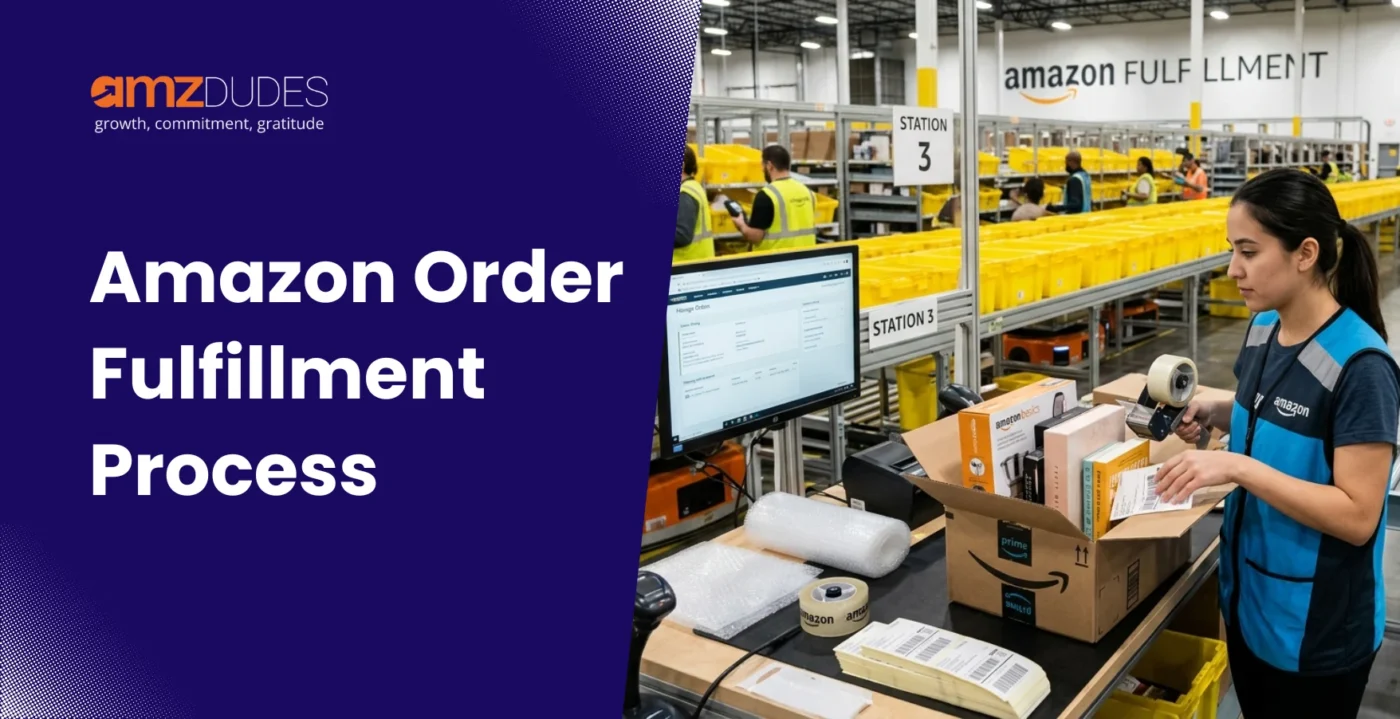
The item is retrieved from inventory, whether from an Amazon fulfillment center for FBA orders or from the seller’s own storage location for FBM orders, and prepared for shipment. In Amazon fulfillment centers, this stage is heavily supported by robotics, which bring inventory shelves directly to pick stations rather than requiring staff to retrieve items manually. The item is then packed according to Amazon’s packaging requirements, which exist to protect the product in transit and ensure it arrives in the condition the customer expects.
Step 4: Shipping Label Generation and Carrier Handoff
Once packed, a shipping label is generated and applied to the package. For FBA orders, Amazon handles this automatically as part of its fulfillment workflow. For FBM orders, sellers generate and print the shipping label themselves through Seller Central, then hand the package off to their chosen carrier. At this point, the order status updates to Shipped, and tracking information becomes available to both the seller and the customer.
Step 5: Delivery to the Customer
The package moves through its respective shipping network, Amazon’s own logistics network for FBA orders, or the seller’s chosen carrier for FBM orders, until it reaches the customer’s address. Delivery confirmation updates automatically within the order record, giving both the seller and the buyer visibility into the final stage of the transaction.
Step 6: Returns and Reverse Logistics
If a customer initiates a return, the process moves in reverse. For FBA orders, Amazon manages the return process directly: generating the Return Merchandise Authorization (RMA), receiving the item back at a fulfillment center, inspecting its condition, and either restocking it as sellable inventory or marking it unsellable. For FBM orders, the seller creates the return through Manage Orders in Seller Central, generates the Return Mailing Label, and is responsible for receiving and processing the returned item directly.
How Fulfillment Works Differently for FBA vs. FBM
FBA: Amazon Handles Picking, Packing, Shipping, and Customer Service
With Fulfillment by Amazon, the seller’s direct involvement in the order fulfillment process effectively ends once inventory has been shipped into Amazon’s fulfillment network. From that point forward, Amazon handles picking, packing, shipping, customer service inquiries related to the order, and the majority of the returns process. This is one of the primary reasons sellers choose FBA: it removes the day-to-day operational burden of order fulfillment amazon sellers would otherwise need to manage themselves.
FBA orders also qualify for Prime shipping speeds, which can meaningfully influence purchase decisions given how many Amazon customers actively filter for Prime-eligible products.
FBM (Seller Fulfilled): The Seller Manages Each Step Directly
With Fulfilled by Merchant, the seller retains direct responsibility for every stage of the Amazon fulfillment process after a sale: picking the item from their own inventory, packing it according to Amazon’s requirements, generating and applying the shipping label, coordinating with a carrier, and managing any resulting customer service or return requests.
This requires more hands-on operational involvement, but it also gives sellers more direct control over packaging, shipping carrier choice, and fulfillment timing, which can be valuable for products with specific handling requirements or for sellers who already have efficient fulfillment operations in place.
Where Seller Fulfilled Prime and Multi-Channel Fulfillment Fit In
Two additional programs sit between these two core models. Seller Fulfilled Prime allows sellers to display the Prime badge on FBM listings, provided they consistently meet Amazon’s delivery speed and reliability standards, giving sellers more control over fulfillment while still accessing Prime’s conversion advantage.
Amazon Multi-Channel Fulfillment (MCF) works in the opposite direction. Rather than fulfilling Amazon orders without FBA, MCF lets sellers who already use FBA tap into that same fulfillment infrastructure to fulfill orders placed through other sales channels, such as their own website or a different marketplace. The inventory pool is shared between Amazon orders and MCF orders, meaning sellers do not need a separate warehouse setup for non-Amazon sales.
Managing Orders in Seller Central
Using the Manage Orders Dashboard
The Manage Orders dashboard inside Seller Central is the central hub for tracking and acting on every order, regardless of fulfillment method. To access it, log into Seller Central and navigate to Orders, then Manage Orders from the main menu. From here, you can filter orders by status, search by order ID or buyer name, and take direct action on FBM orders that require fulfillment.
This dashboard is particularly important for FBM sellers, since it is where the actual fulfillment actions, confirming shipment, generating labels, and processing returns, take place. FBA sellers use this same dashboard primarily for visibility and customer service purposes, since the physical fulfillment steps happen automatically within Amazon’s network.
Understanding Order Statuses
Each order carries a status that tells you exactly where it sits in the fulfillment process. Pending means the buyer’s payment is still being verified, and sellers should not attempt to ship or contact the buyer at this stage. Unshipped means the order is confirmed and ready for fulfillment, and for FBM sellers, this is the active signal to prepare, pack, and ship promptly. Shipped means the order has been dispatched, and tracking information is available. Cancelled means the order has been cancelled, either by the buyer or the seller, and no further fulfillment action is required.
Understanding these statuses at a glance allows sellers to prioritize their workflow correctly, rather than treating every order in the queue as equally urgent.
Setting Order Handling Capacity and Shipping Automation
For FBM sellers managing a meaningful order volume, two Seller Central tools are worth setting up directly. Order handling capacity lets you set a daily limit on how many orders you can realistically process. If that limit is reached, Amazon automatically extends the handling time for additional orders rather than penalizing you for orders you genuinely cannot fulfill within the standard window. This is particularly useful during high-volume periods like holidays or major sales events.
Shipping Settings Automation simplifies the shipping experience for both you and the customer by automating delivery region and transit time calculations based on your warehouse location and chosen shipping services. Setting this up correctly under Settings, then Shipping Settings, ensures customers see accurate delivery estimates at checkout, which reduces the likelihood of delivery-related complaints later in the process.
How to Optimize Your Fulfillment Performance
Reducing Handling and Processing Time
Handling time, the period between order confirmation and shipment, is one of the most controllable variables in your fulfillment performance, particularly for FBM sellers. Streamlining your internal packing and labeling workflow, using barcode scanners to reduce manual data entry errors, and training staff on a consistent fulfillment procedure all contribute to faster, more reliable handling times.
Faster handling time does more than satisfy customers. It directly supports better delivery estimate accuracy and reduces the likelihood of late shipment penalties that can affect your account health.
Avoiding Stockouts and Shipment Delays
A well-run fulfillment process depends on having the inventory available to fulfill orders in the first place. Regularly reviewing your sales data and adjusting inventory levels based on demand forecasts is a core part of effective Amazon FBA inventory management. It helps maintain the right balance between avoiding stockouts and avoiding excess storage costs. This is just as relevant for FBM sellers managing their own warehouse as it is for FBA sellers monitoring inventory levels across Amazon’s fulfillment network.
Quality Control to Reduce Errors and Returns
Accurate order fulfillment is critical not just for customer satisfaction but for avoiding the cost and operational disruption of returns. Implementing quality control checks before an order ships, verifying the correct item, quantity, and condition, catches errors before they become a customer-facing problem. Regularly auditing your fulfillment process, rather than only investigating after a complaint, helps identify recurring error patterns before they accumulate into a larger account health issue.
Using Fulfillment Reports to Identify Bottlenecks
Amazon provides Fulfillment Reports within Seller Central that give sellers visibility into fulfillment-related performance data: shipping times, order defect rates, and other metrics tied directly to your fulfillment operations. Reviewing these reports on a regular schedule, rather than only when a problem becomes visible, allows you to spot a developing bottleneck, a specific product with recurring shipping delays, for example, before it escalates into a broader performance issue.
Optimizing fulfillment requires more than improving shipping speed. A full service Amazon agency helps align inventory planning, fulfillment performance, account health, and customer experience to reduce operational inefficiencies and support consistent growth. When fulfillment data is connected to broader business decisions, sellers are better positioned to improve performance across the entire Amazon operation.
How Fulfillment Performance Affects Customer Satisfaction and Sales
The Link Between Delivery Speed and Reviews
Customers form a significant part of their overall impression of a purchase based on the fulfillment experience itself, not just the product. Fast, accurate delivery consistently correlates with stronger reviews and higher repeat purchase rates. Conversely, slow or inaccurate fulfillment, even when the product itself meets expectations, frequently shows up directly in negative review language referencing shipping and delivery rather than product quality.
This means your fulfillment process is, in a very real sense, part of your product experience as far as the customer is concerned, not a separate, invisible operational layer behind the scenes.
How Fulfillment Errors Affect Account Health Metrics
Beyond the customer-facing impact, fulfillment performance feeds directly into the account health metrics Amazon actively monitors. Late shipments, order defects, and delivery-related complaints all factor into the metrics that determine your standing on the platform, which in turn can affect Buy Box eligibility and overall account standing. Sellers who treat fulfillment quality as directly tied to account health, rather than as a separate operational concern, are better positioned to avoid the kind of performance issues that can escalate into more serious account restrictions. Since these fulfillment metrics roll up into your overall Amazon Account Health Rating, understanding how that score is calculated helps you see exactly where fulfillment issues affect your broader standing.
Why Reliable Fulfillment Supports Long-Term Sales Growth
Consistent, reliable fulfillment compounds over time. Strong delivery performance builds the kind of customer trust and positive review history that supports better conversion rates on both your organic listings and any paid advertising, driving traffic to them. This sales velocity and review momentum feed directly into Amazon Best Sellers Rank (BSR), which is why fulfillment quality has ranking implications well beyond the individual transaction. A seller with a strong fulfillment track record is, in effect, building a quieter but equally important competitive advantage alongside their pricing, creative, and advertising strategy.
Treating fulfillment as connected to your broader growth strategy, rather than as a background function that simply needs to not fail, is what separates sellers who scale sustainably from those who hit recurring, preventable performance setbacks.
Conclusion
The Amazon order fulfillment process is more than a backend operation. It directly influences customer satisfaction, account health, conversion rates, and long-term business performance. Sellers who understand how fulfillment impacts the broader customer journey are better positioned to create a consistent buying experience and maintain sustainable growth.
Whether you use FBA, FBM, or a hybrid approach, fulfillment should be viewed as part of a larger Amazon strategy rather than a standalone function. Strong fulfillment performance supports better reviews, protects seller metrics, and ensures your products remain available when demand is highest.
AMZDUDES, a full service Amazon agency that helps brands connect fulfillment, inventory planning, and operational performance with their broader growth objectives. Through our Amazon FBA Consultant services, we help sellers optimize fulfillment workflows while aligning Amazon ads, listing creative, and customer insights into a unified strategy. By ensuring every part of your Amazon business works together, we help improve conversion performance, increase operational efficiency, and generate stronger returns from your marketing and growth investments.
Book a free consultation call with AMZDUDES today!
Frequently Asked Questions
What is the Amazon order fulfillment process?
The Amazon order fulfillment process is the sequence of steps that takes an order from placement to delivery: payment verification, order confirmation, picking and packing, shipping label generation and carrier handoff, delivery to the customer, and, when applicable, returns processing. The specific steps a seller manages directly depend on whether they use FBA or FBM.
How do I fulfill orders on Amazon if I use FBM?
For Fulfilled by Merchant orders, log into Seller Central and go to Orders, then Manage Orders. Once an order status changes to Unshipped, pick and pack the item according to Amazon’s packaging guidelines, generate a shipping label directly through Seller Central, hand the package off to your carrier, and confirm the shipment in Seller Central to update the order status to Shipped.
What is the difference between Amazon order fulfillment services like FBA and FBM?
FBA, Fulfillment by Amazon, has Amazon handle picking, packing, shipping, and most customer service and returns on the seller’s behalf once inventory is sent into Amazon’s fulfillment network. FBM, Fulfilled by Merchant, requires the seller to manage each of these steps directly using their own inventory, packaging, and shipping carrier.
How long does Amazon order fulfillment typically take?
For FBA orders, fulfillment typically moves quickly once an order is placed, with Amazon’s automated systems handling picking, packing, and shipping, often resulting in same-day or next-day dispatch. For FBM orders, fulfillment speed depends on the seller’s own handling time settings and operational capacity, which sellers can manage directly through their order handling capacity settings in Seller Central.
What happens if I cannot fulfill an order on time?
Consistently late fulfillment affects your account health metrics and can lead to performance-related restrictions. If you anticipate being unable to meet your standard handling time, setting an accurate order handling capacity limit in Seller Central helps manage customer expectations by automatically extending handling time for orders beyond your stated daily capacity, rather than committing to a timeline you cannot reliably meet.
Can I use Amazon’s fulfillment network for orders placed outside of Amazon?
Yes, through Multi-Channel Fulfillment (MCF). If you already use FBA, MCF allows you to fulfill orders placed on other sales channels, including your own website or another marketplace, using the same pool of inventory stored in Amazon’s fulfillment centers, without needing a separate fulfillment setup for those channels.
How do returns work within the Amazon order fulfillment process?
For FBA orders, Amazon manages the return process directly, including generating the return authorization, receiving the item, inspecting its condition, and restocking or disposing of it accordingly. For FBM orders, sellers create the return through Manage Orders in Seller Central, generate a Return Mailing Label, and are responsible for receiving and processing the item once it arrives back.