
Key Takeaways
- Amazon ads will not fix a broken listing, before spending a dollar on advertising, your ASIN needs a competitive price, sufficient reviews, and a listing that converts organic traffic.
- Start with Sponsored Products automatic campaigns to discover which search terms actually convert for your product, then migrate winners to manual exact match campaigns after 14-21 days.
- Your bid ceiling is not Amazon’s suggested range, it is Profit Per Unit x Conversion Rate. Any bid above this loses money on every converting click regardless of how relevant the keyword is.
- ACoS tells you ad efficiency. TACoS tells you whether advertising is building your business or creating dependency. Track both from day one.
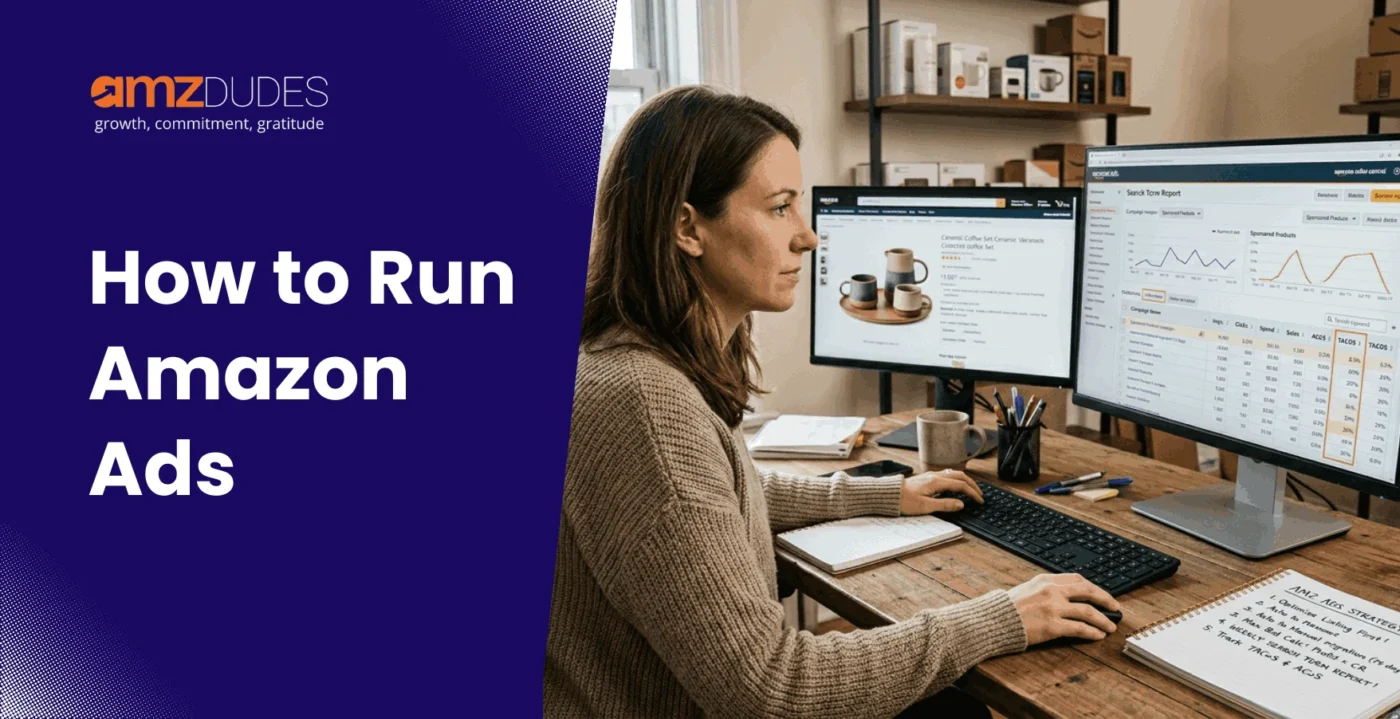
- The Search Term Report reviewed weekly is the single highest-leverage optimisation action in Amazon advertising. It finds waste to cut and winners to scale simultaneously.
Running Amazon ads is not complicated to start. Creating a campaign in Campaign Manager takes less than ten minutes. The part that most guides skip, and the part that determines whether your ad spend produces profit or just activity, is what happens before you launch and what you do in the weeks after.
This guide covers the complete process: what needs to be in place before your first campaign, how to set up each ad type correctly, how to read your performance data, and how to improve results systematically over time.
Before You Run Amazon Ads, What Needs to Be in Place
Amazon ads drive traffic to your listing. If the listing does not convert that traffic into sales, the ad spend is wasted. The most common reason first campaigns underperform is not poor keyword selection or bid strategy; it is advertising a listing that was not ready to convert.
Listing Requirements: What Makes an ASIN Ready to Advertise
Before spending on Amazon ads, check each of the following for every ASIN you plan to advertise:
Review count and rating:
A listing with fewer than 15 reviews or a rating below 4.0 will convert significantly below the category average, regardless of how targeted the keywords are. Shoppers use review count as a proxy for product credibility. Advertising an under-reviewed listing pays to drive traffic to a conversion problem you have not yet fixed.
Main image quality:
Your main image determines CTR. At thumbnail size in search results, a product that does not stand out against competitors produces below-average click-through rates, meaning you pay full auction cost to serve impressions that generate few clicks. Before advertising, check your main image at a small size against competitor thumbnails in the same category.
Price competitiveness:
A price significantly above the category average suppresses conversion rates, as shoppers who click compare price with alternatives and leave. If your price is above competitors’, your listing needs a visible differentiation reason (superior reviews, unique feature, bundle value) or your conversion rate will limit how efficiently ads can perform.
Buy Box eligibility:
If you do not hold the Buy Box, your Sponsored Products ads will not show. Verify Buy Box status in Seller Central before launching campaigns.
Inventory depth:
Do not advertise ASINs with fewer than 30 days of stock at current sales velocity. If a campaign generates momentum and the ASIN stocks out, you lose the ranking signals built by that ad spend and restart from a weaker organic position.
Account Requirements: Professional Plan, Buy Box, and Brand Registry
Professional Selling Plan ($39.99/month): Required for all Amazon advertising. Individual Plan sellers cannot run sponsored ads.
Active product listings: ASINs must be live and Buy Box eligible to be advertisable.
Brand Registry: Required for Sponsored Brands and Sponsored Display targeting your own audiences. Not required for Sponsored Products. Brand Registry also unlocks Search Query Performance reports, one of the most valuable data sources in Amazon advertising. Beyond advertising eligibility, Amazon Brand Registry benefits include greater control over product listings, access to enhanced brand content, protection against listing hijacking, and additional reporting tools that help sellers make better advertising decisions.
Payment method: A valid credit card must be on file in Seller Central. Amazon charges advertising costs to this card automatically.
Setting Your Goal Before Your First Campaign
The goal you set determines how you structure the campaign, what ACoS target you work toward, and how you evaluate whether the campaign is succeeding.
Three distinct Amazon advertising goals require different approaches:
Launching a new product:
The goal is ranking velocity, generating enough sales to build organic rank, not efficiency. Accept above-break-even ACoS during the launch phase. Measure success by organic rank improvement and new-to-brand customer rate, not by ACoS alone.
Scaling an established product:
The goal is profitable volume, growing sales while maintaining ACoS at or below your break-even threshold. Measure success by revenue growth, with TACoS holding stable or declining.
Defending an established position:
The goal is visibility protection, ensuring competitors do not capture your branded searches or top placement keywords. Measure success by impression share on key terms and branded keyword conversion rate.
Knowing your goal before setting up the first campaign prevents the most common early mistake: optimising for ACoS efficiency during a launch phase when ranking velocity should be the priority.
The Three Amazon Ad Types and When to Use Each
Amazon offers three primary self-service advertising formats. Each serves a different purpose in the customer journey. Understanding which to use, and in what sequence, is the foundation of an effective Amazon advertising strategy.
Sponsored Products: The Starting Point for Every Seller
Sponsored Products are cost-per-click ads that appear in search results and on product detail pages. They promote individual ASINs directly to shoppers searching for related products.
Where they appear: Search results (top, middle, and bottom of page), product detail pages, and the Sponsored Products carousel.
Who can use them: All Professional Sellers and Vendors. No Brand Registry required.
Why start here: Sponsored Products generate the most direct sales impact of any Amazon ad type. They reach shoppers with active purchase intent. The data they produce, which search terms convert, which ASINs to target, and which keywords to scale, feeds the optimisation of everything else.
The correct sequence for new advertisers:
- Launch automatic targeting campaigns first.
- After 14-21 days, pull the Search Term Report.
- Move converting search terms to manual exact match campaigns.
- Add non-converting search terms as negative keywords in the auto campaign.
Sponsored Brands: For Brand Registry Sellers Building Awareness
Sponsored Brands appear as banner ads above search results, showing your brand logo, a custom headline, and up to three products. They reach shoppers at the beginning of a search session, before they commit to a specific product.
Who can use them: Brand Registry sellers only.
Three formats:
- Product Collection: Shows brand logo, headline, and three products. Links to a custom landing page or Brand Store.
- Store Spotlight: Showcases three pages of your Brand Store.
- Video: A short autoplay video (15-30 seconds recommended) linked to a single product page. Sponsored Brands Video consistently produces 2-3x higher CTR than static formats in most categories.
When to add Sponsored Brands: After Sponsored Products are established and producing consistent sales.
Sponsored Display: For Retargeting and Audience Expansion
Sponsored Display ads appear on and off Amazon, on product detail pages, in search results, and on third-party websites and apps. They target audiences rather than keywords.
Two targeting approaches:
- Product targeting: Show your ad on specific competitor product pages. The shopper is already in consideration mode for a product similar to yours.
- Audience targeting: Reach shoppers who previously viewed your product page but did not purchase, or shoppers whose browsing history signals interest in your category.
When to add Sponsored Display: After Sponsored Products are established, as a retargeting layer.
The recommended launch sequence:
- Sponsored Products (auto) → generate data
- Sponsored Products (manual) → scale proven terms
- Sponsored Brands → add top-of-search visibility
- Sponsored Display → add retargeting layer
How to Set Up Your First Amazon Ads Campaign: Step by Step
Step 1: Access the Amazon Advertising Console
Go to advertising.amazon.com and sign in with your Seller Central credentials. From the Campaign Manager dashboard, click Create Campaign.
Step 2: Choose Your Campaign Type and Targeting Method
Select Sponsored Products. Choose Automatic targeting for your first campaign. Amazon selects which search terms trigger your ads based on your listing content.
Within automatic targeting, set separate bids for each of the four subtypes (Close Match, Loose Match, Substitutes, Complements) rather than one default bid. Close match deserves the highest bid – highest purchase intent. Loose match and substitutes get more conservative bids during data collection.
Step 3: Set Your Budget and Bidding Strategy
- Daily budget: $20-50/day per campaign for most categories.
- Bidding strategy: Dynamic bid, Down Only for new campaigns. Amazon lowers your bid when conversion is unlikely. Your bid is the ceiling, not the floor.
- Starting bid: Calculate your maximum profitable CPC first:
Max Profitable CPC = Profit Per Unit x Estimated Conversion Rate
Example: $15 profit per unit, 10% estimated CVR = $1.50 max profitable CPC. Start bids at 70-80% of this – $1.05-1.20. This leaves room to increase if data shows the keyword converts profitably.
Step 4: Select Keywords and Match Types (Manual Campaigns Only)
For automatic campaigns, skip this step. For manual campaigns built after reviewing auto campaign data:
| Match Type | How It Works | Use Case |
| Broad match | Triggers for queries containing keywords in any order | Discovery |
| Phrase match | Triggers for queries containing the keyword phrase in order | Mid-funnel intent |
| Exact match | Triggers only for exact keyword match | Proven at converting queries |
Keep each match type in separate campaigns; never mix them. An exact match gets your highest bids. Broad match gets your most conservative bids.
Effective Amazon PPC keyword research combines Amazon’s search term data, competitor analysis, and customer search behavior to identify the terms most likely to generate profitable sales rather than simply high traffic volumes.
Step 5: Add Negative Keywords Before You Launch
Add negative phrase keywords for low-intent terms before your campaign goes live:
“free,” “cheap,” “DIY,” “how to make,” “review,” “tutorial,” “wholesale,” “bulk,” “sample.”
This eliminates obvious waste before it accumulates rather than discovering it after the budget has been spent.
Step 6: Launch and Set Your Review Schedule
Before clicking Launch Campaign, confirm:
- Campaign name follows a consistent convention
- Daily budget is set
- Start date is today, no end date
- Bidding strategy is Dynamic Down Only
- At least 5-10 negative keywords are added
Click Launch Campaign. Most go live within a few hours.
Set your first review date: 14 days from launch. Making bid changes or pausing keywords before 14 days means reacting to noise, not signal.
This process forms the foundation of an effective Amazon PPC strategy setup and execution. The campaign structure, bidding framework, keyword selection, negative targeting, and review schedule established during launch determine how efficiently your account can scale and optimise in the months that follow.
How to Read Your Amazon Ads Performance: The Metrics That Matter
ACoS and TACoS: What Each Tells You and Why You Need Both
ACoS (Advertising Cost of Sales):
- ACoS = Ad Spend / Ad Revenue x 100
- Your target ACoS should sit below your break-even ACoS:
- Break-even ACoS = (Profit Per Unit / Sale Price) x 100
Example: $15 profit on a $40 product = 37.5% break-even ACoS. Target 30-35% to generate actual profit.
TACoS (Total Advertising Cost of Sales):
- TACoS = Total Ad Spend / Total Revenue (organic + paid) x 100
TACoS tells you whether advertising is building your brand or creating paid traffic dependency.
| ACoS | TACoS | What It Means |
| Declining | Declining | Advertising working, efficiency improving, organic growing |
| Declining | Rising | Organic rank eroding, ACoS improvement is cosmetic |
| Stable | Declining | Organic growing paid dependency reducing |
| Rising | Stable | Growth investment is acceptable during the launch phase |
Never optimise ACoS in isolation. A falling ACoS achieved by cutting campaigns that support organic rank produces a worse business outcome, even as the dashboard looks better.
CTR, CVR, and What They Reveal About Your Listing
CTR (Click-Through Rate): Clicks / Impressions x 100.
Below 0.3% on a relevant keyword is a listing appearance signal – your main image, title, or price is not generating clicks compared to competitors. CTR is not fixed by bid changes. It is fixed by listing creatively.
CVR (Conversion Rate): Orders / Clicks x 100.
Below 8% on relevant high-intent keywords is a listing conversion signal. Review: review count and rating, images, bullet points, price versus competitors, A+ Content.
This is where Amazon conversion rate optimization becomes critical. Improving product images, strengthening copy, increasing review volume, and refining A+ Content often delivers a larger profitability gain than adjusting bids or budgets alone.
CVR is also not fixed by bid changes. Adjusting bids on a conversion problem does not solve it.
The diagnostic sequence:
- Low CTR → fix listing appearance (main image first)
- Low CVR → fix listing conversion (reviews, copy, images, price)
- High ACoS with adequate CTR and CVR → adjust bids downward
When to Adjust Bids, When to Add Negatives, When to Pause
- Raise bids: Keyword converting below 50% of break-even ACoS for 30+ days.
- Lower bids: Keyword above break-even ACoS for 30+ days after 20+ clicks. Reduce by 15-20% and monitor for 2 more weeks.
- Add negatives: Any search term with $15 or more in spend and zero conversions. The signal is clear – do not wait.
- Pause: Keyword above 2x break-even ACoS for 30+ days despite bid reductions.
- Do not touch: Any keyword with fewer than 10 clicks. Insufficient data.
How to Improve Your Amazon Ads Over Time
Successful campaigns are not built during launch alone. Long-term profitability comes from consistent Amazon PPC optimization through search term analysis, bid adjustments, negative keyword management, and the systematic promotion of proven converting terms into dedicated exact-match campaigns
The Weekly Search Term Report Review
- How to pull it: Campaign Manager → Reports → Search Term Report → Last 7 days → Download.
What to do with it:
Sort by spend descending. Work through the top 20 terms.
- Negate wasted spend: Any term with $15+ spend and zero conversions → add as a negative phrase at the campaign level immediately.
- Flag winners: Any term with 3+ conversions and ACoS below break-even → move to exact match promotion list.
- Mine for patterns: Look for modifiers in converting terms – size, material, use case, that reveal new keyword candidates.
This 20-30 minute weekly process produces more ACoS improvement than any other single optimisation action.
Moving Winning Search Terms From Auto to Manual Exact Match
When a search term generates 3 or more conversions with ACoS below break-even, promote it to a manual exact match campaign:
- Identify the converting search term in the Search Term Report
- Add it to a manual Sponsored Products campaign with exact match targeting
- Set the bid at your maximum profitable CPC (Profit Per Unit x CVR)
- Add the same term as a negative exact match in the auto campaign; this prevents internal competition between your own campaigns on the same query
This harvest cycle, auto discovers, Search Term Report validates, and exact match manual scales, is the core mechanism of effective Amazon advertising. Accounts that run this weekly build progressively more efficient keyword portfolios. Accounts that skip it stay at the efficiency level of their launch setup.
Scaling What Works Without Breaking What Is Working
- Scale performing campaigns first: Identify campaigns with consistently below-target ACoS and strong CVR. Increase their budgets first.
- Protect core exact match campaigns: These should never hit daily budget limits. When they do, increase the budget before anything else.
- Keep discovery campaigns at controlled budgets: Broad match and auto campaigns generate data, not necessarily efficient sales. They need a consistent weekly review, not large budgets.
- Introduce new ASINs carefully: New product launches within an existing account need isolated campaigns separate from established campaigns so new ASIN data does not contaminate proven campaign history.
When Running Amazon Ads Yourself Stops Making Sense
Most sellers reach a point where the campaigns are running, but the system behind them is not. Search Term Reports go unreviewed. Bids stay where they were set at launch. ACoS fluctuates without a clear explanation. Revenue plateaus despite increasing spend.
The gap is almost never a single tactical failure. It is a structural one, Amazon PPC managed in isolation from the listing performance it depends on, the inventory signals it should respond to, and the customer data that would sharpen every targeting decision if someone were actually looking at it.
That is the difference between running Amazon ads and having them managed as part of a broader growth system. As a full service Amazon agency, AMZDUDES connects your Amazon ads, listing creative, inventory forecasting, and customer insights so your advertising drives profit rather than just generating campaign activity. When those layers work together, the decisions at each one improve the others – and the compounding shows in TACoS trending down, organic rank building, and revenue growing without a proportional increase in ad spend.
If your campaigns are producing results you can explain and build on, keep going. If the gap between what your account is doing and what it should be doing is getting harder to close on your own, book a free account review, a direct assessment of what is happening and what a different approach would change.
Frequently Asked Questions
How much does it cost to run Amazon ads?
There is no minimum spend requirement. Amazon recommends a minimum daily budget of $10, but $20-50/day per campaign generates enough data for meaningful optimisation within 2 weeks. For a complete breakdown of what Amazon ads cost per click by category, see our Amazon PPC cost guide.
Should I start with automatic or manual targeting?
Automatic targeting first. Auto campaigns reveal which search terms actually convert for your specific product. After 14-21 days, pull the Search Term Report, identify converting terms, and move them to manual exact match campaigns. Manual campaigns built from auto campaign data consistently outperform those built from keyword research alone.
What is a good ACoS for Amazon ads?
A good ACoS is one below your break-even ACoS: Profit Per Unit divided by Sale Price, multiplied by 100. There is no universal good ACoS; the right target depends on your unit economics, not industry averages.
How long does it take to see results from Amazon ads?
Meaningful data accumulates within 14-21 days. Performance stabilises as you add negatives and build exact match campaigns, typically 30-60 days. Significant compounding improvement is visible at 90 days of consistent weekly Search Term Report management.
Why are my Amazon ads spending but not selling?
Three most common causes: the listing is not converting traffic (CVR below 8% on relevant keywords means the listing is the problem, not the campaign); keywords are not matching buyer intent (check the Search Term Report for irrelevant queries consuming budget); or price is above what shoppers expect for this category.
Do I need Brand Registry to run Amazon ads?
No, Sponsored Products are available to all Professional Sellers without Brand Registry. Brand Registry is required for Sponsored Brands and unlocks Search Query Performance reports, which are among the most valuable data sources in Amazon advertising.
What is the difference between Sponsored Products and Sponsored Brands?
Sponsored Products promote individual ASINs in search results, the most direct path from ad to purchase. Sponsored Brands show your brand logo, headline, and multiple products at the top of search results, building brand awareness alongside product conversions. Start with Sponsored Products. Add Sponsored Brands once you have consistent conversion data and a Brand Store built.
How often should I review my Amazon ads?
Search Term Report: weekly. Bid adjustments: every 14-30 days based on 30-day performance data. Budget: weekly, check whether campaigns are hitting daily budget limits. Monthly: Placement Report, Advertised Product Report, and TACoS trend.