
Key Takeaways
- Negative keywords reduce wasted spend: Negative keywords help Amazon sellers block irrelevant search terms, improve traffic quality, and focus more of their budget on searches that are more likely to convert.
- Understand negative keyword match types: Use negative exact match to block one specific search term and negative phrase match to block multiple related variations that contain the same phrase.
- Follow simple steps to add negative keywords to your ads campaign: Use Amazon Seller Central and Campaign Manager to add negative exact or phrase match keywords at the campaign or ad group level.
- Follow 4 best practices for negative keyword management: Review Search Term Reports regularly, use exact and phrase match strategically, avoid overblocking, and place negative keywords at the right level.
- Avoid these mistakes: Do not ignore Search Term Reports, overuse negative keywords, rely only on exact match negatives, or allow competitor brand terms to waste your budget.
Running ads on Amazon can be frustrating and even more frustrating when you are paying for clicks that never convert. Sellers often face this and wonder where all the money and budget goes. Even with high traffic and impressions, many campaigns still fail to generate profitable sales. In most cases, this happens because ads are appearing for irrelevant search terms that attract clicks but do not lead to conversions.
Irrelevant search terms in your campaign only waste your budget and this is why you need negative keywords. Negative keywords are one of the most underutilized parts of Amazon PPC. When used correctly, they can improve traffic quality and make your campaigns more profitable. In this guide, you will learn what are Amazon negative keywords, how to find them, when to use negative exact and phrase match, how to add them in Amazon Seller Central, best practices and common mistakes to avoid.
How Negative Keywords Can Save Your Ad Budget
Negative keywords allow you to block specific search terms so your Amazon ads do not appear when shoppers use those queries in their searches. They are the search terms you tell Amazon not to show your ads for.
Assume you are an Amazon FBA seller selling water bottles and you are bidding on the term “water bottle” in your PPC campaign. Your ad may start appearing for searches like “plastic water bottle,” “kids water bottle,” or “cheap water bottle” as these phrases contain the bidding term.
If your product is a premium stainless steel water bottle, these searches are not relevant to your listing. People looking for cheap bottles, or kids bottles are less likely to buy your product, but you will still pay for every click they make. Over time, these irrelevant clicks increase your ad spend, and push your ACoS higher.
In this case, adding negative keywords such as cheap, plastic, kids or other irrelevant terms will stop your ads from showing for those searches. This means your budget will be spent only on shoppers who are actually interested in your product, which helps improve ad performance and protects your profit margin.
Different Types of Negative Keyword Match Types on Amazon
Before diving into how to find negative keywords for Amazon FBA, it is crucial to fully understand Amazon’s keyword match types (Broad, Phrase, and Exact). Keyword match types give you better control over targeting your ads for specific custom search terms.
Negative keywords on Amazon are categorized into two types.
1. Negative Exact Match: This blocks your ad only when the shopper’s search term exactly matches the negative keyword, without any extra words before or after it.
2. Negative Phrase Match: This blocks your ad when the shopper’s search contains the negative keyword phrase in the same order, even if there are additional words before or after it.
| Match Type | Example Keyword | Excludes Shopper Searches Like | Does Not Exclude Shopper Searches Like |
| Negative Phrase | water bottle | water bottle for kids, plastic water bottle, cheap water bottle | bottle for water, sports bottle |
| Negative Exact | water bottle | water bottle | water bottle for gym, stainless steel water bottle |
Choosing Negative Exact Match vs Negative Phrase
As negative exact match is more specific, it only blocks your ad when the search term exactly matches the negative keyword. It is recommended to use a specific long tail search term that is getting clicks without conversions. As it has proven poor performance, it is best to eliminate it without impacting any similar queries.
Here is a scenario where using negative exact match make sense
You sell stainless steel water bottles, and your search term report shows that the query “kids water bottle” received 27 clicks but generated 0 orders. Instead of blocking all similar searches, you add “kids water bottle” as a negative exact keyword so only this exact term stops triggering your ad, while queries like “small insulated water bottle” or “steel water bottle for school” can still convert.
Negative phrase match blocks your ad when the shopper search contains the negative keyword phrase in the same order, even if there are additional words before or after it. It is recommended to use when you notice a group of similar search terms that are getting clicks but are not relevant to your product. Instead of blocking them one by one, a negative phrase allows you to stop all variations at once and prevent repeated wasted spend.
Here is a scenario where using a negative phrase match makes sense.
You sell stainless steel water bottles, but your search term report shows multiple clicks coming from searches like “plastic water bottle”, “plastic water bottle pack”, and “cheap plastic water bottle”, spending on clicks with no orders. Since your product is not plastic, adding plastic water bottle as a negative phrase keyword will block all these variations at once, helping you stop irrelevant traffic without needing to add each term separately.
How to Find Negative Keywords for Amazon FBA
In the beginning, you can use your knowledge of your product and other products to add some negative keywords to your campaign. It is effective as it will eliminate irrelevant searches from the start and prevent your ads from showing for terms that clearly do not match your product.
However, the more reliable way to find negative keywords is by using actual campaign data. You can run your ads without negative keywords the first time and wait for your Amazon search term reports to help you find your negative keywords based on the results. Let your campaigns run for a few weeks to gather enough search term data. This approach allows you to make decisions based on real performance instead of assumptions. Let’s take a look at the keywords from your search term report to find negative keywords.
1. Find Low CTR Search Terms That Do Not Convert
The average Amazon CTR is 0.4%. In most Amazon PPC campaigns, a CTR around 0.5% or higher is considered healthy, while terms below 0.3% often indicate that the search is not relevant to your product. A CTR below 0.3% will usually lead to wasted impressions, making such search terms strong candidates to add as negative keywords if they also fail to generate conversions.
2. Identify High Spend Keywords With No Sales
If you have keywords that are getting 30-40 clicks without any single conversion, you can add these as negative keywords.
The average conversion rate for Amazon advertising campaigns typically ranges from 9.5% to 10%. If you find keywords performing below the standard, it is best to eliminate that keyword.
How to Add Negative Keywords to Your Amazon PPC Campaigns
Now that you know how to find negative keywords for Amazon FBA, you can add these to your PPC campaigns following the simple steps:
1. Log into your Amazon Seller Central account.
2. Click on the Advertising tab.
3. Select the Campaign Manager.
4. Choose the campaign to which you want to add negative keywords from the list. (For this one, we have selected campaign level. You can also add negative keywords at the ad group level).
5. Click on Add negative keywords.
6. Choose whether you want to use ‘Negative Phrase’ or ‘Negative Exact.’
7. Add the negative keywords you want to include in each line.
8. Click “Add keywords” and then “Save”.
4 Best Practices for Negative Keyword Management
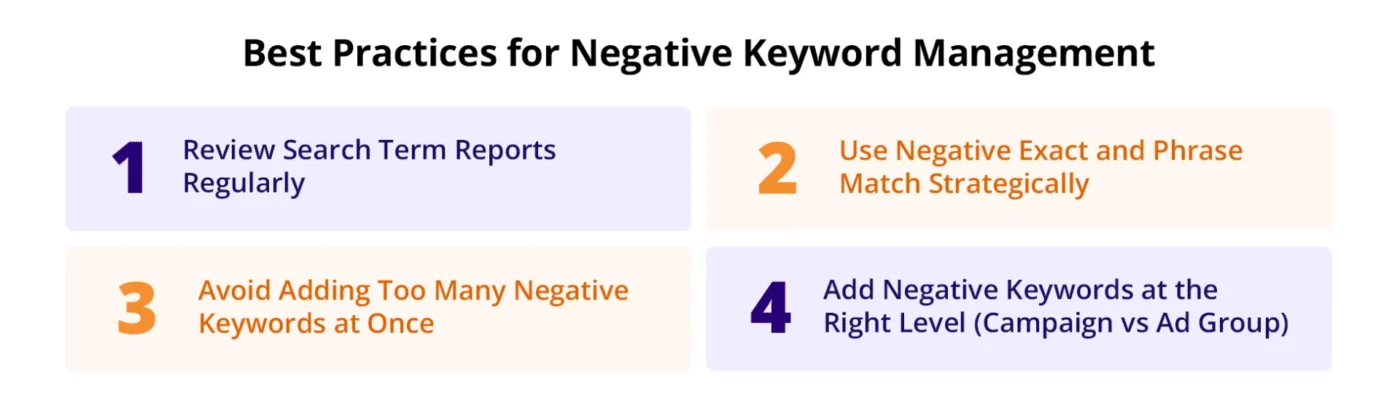
These are best practices for effective negative keyword management.
1. Review Search Term Reports Regularly
Regularly updating your negative keywords ensures they align with evolving campaign goals and customer search behaviors. Monitor search term reports to identify underperforming searches that are draining your ad spend. The Search Terms report reveals evolving search behavior, and missing those changes means you’ll keep paying for irrelevant traffic. Find the keywords that are draining your ad spend and exclude them as negative keywords.
2. Use Negative Exact and Phrase Match Strategically
It is equally necessary to segment negative keywords by match type. Using a mix of negative exact match (to block specific phrases) and negative phrase match (to prevent variations) as it ensures more refined targeting.
3. Avoid Overusing Negative Keywords
Adding too many exclusions can negatively impact your campaign performance. While it is important to block negative keywords, adding too many can limit reach and prevent your ads from showing to searches that can be valuable.
In some cases keywords that may appear unprofitable could convert later. It is better to make small adjustments and make data decisions accordingly rather than block dozens of terms at once.
4. Add Negative Keywords at the Right Level (Campaign vs Ad Group)
Choosing the right level for negative keywords is important for campaign structure and control. Campaign-level negatives block a search term across all ad groups within that campaign, making them useful for broad exclusions like irrelevant product categories.
Ad group-level negatives are better when you want to prevent overlap between closely related targets. For example, if one ad group targets “running shoes” and another targets “walking shoes,” negatives can help keep search traffic separated.
Amazon PPC Negative Keywords Mistakes to Avoid
These are some common Amazon ads negative keywords mistakes sellers often make that can cost them revenue and sales.
Not reviewing search term reports regularly: Many brands assume campaigns will continue performing efficiently after launch, but keyword performance changes over time. Review search term reports weekly and update negative keyword lists to prevent wasted ad spend.
Overblocking keywords: Some brands add too many negative keywords and accidentally block search terms that could still generate conversions. Focus on removing irrelevant traffic without limiting valuable reach.
Using only exact match negatives and ignoring phrase match negatives: Relying only on exact match negatives limits your ability to block broader irrelevant searches. Use a mix of negative exact and negative phrase match to improve traffic quality and reduce wasted spend.
Ignoring competitor brand names in search terms: If targeting competitor keywords is not part of your strategy, allowing those searches to trigger your ads can waste budget on low-intent traffic. Add competitor brand names as negative keywords to reduce irrelevant clicks and improve efficiency.
Conclusion
An optimized negative keyword strategy is essential for improving Amazon advertising performance. By utilizing negative keywords in your campaign, you are eliminating waste spend which ultimately results in better conversion and higher ROAS. We have provided the information you needed to utilize this effectively in your campaign.
If you need expert assistance in improving campaign efficiency and lowering wasted ad spend, we can help. Book a free consultation call with AMZDUDES, a reliable account management agency and let our experts take your business to the next level.
Frequently Asked Questions
What are Amazon negative keywords?
Negative keywords Amazon are search terms that prevent your ads from appearing when shoppers use those words or phrases in their searches. Amazon sellers use negative keywords to block irrelevant traffic and focus their budget on search terms that are more likely to convert.
How often should Amazon sellers review negative keywords?
Amazon sellers should review negative keywords at least once a week. Weekly search term reviews help identify irrelevant traffic, and low-converting search terms before they reduce campaign profitability. Regular updates also help keep Amazon PPC campaigns aligned with changing customer search behavior.
What is the difference between negative exact match and negative phrase match on Amazon?
Negative exact match blocks your Amazon ad only when the shopper search exactly matches the negative keyword. Negative phrase match blocks any shopper search that contains the negative keyword phrase in the same order, even if there are additional words before or after it.
Can too many negative keywords hurt Amazon PPC performance?
Yes, adding too many negative keywords can hurt Amazon PPC performance. Overusing negative keywords can reduce ad visibility and limit conversions. Amazon sellers should remove only irrelevant or consistently low-performing search terms rather than blocking large groups of keywords at once.
Where can Amazon sellers find negative keywords in Amazon Seller Central?
Amazon sellers can find negative keyword opportunities in the Search Term Report inside Amazon Campaign Manager. This report shows which customer searches triggered ads, how many clicks each term received, how much was spent, and whether those searches generated conversions.